±Recent Visitors

Recent Visitors to Com-Central!

±User Info-big


Welcome Anonymous

Nickname
Password

Membership:
Latest: HighestAce
New Today: 0
New Yesterday: 0
Overall: 6648

People Online:
Members: 0
Visitors: 404
Total: 404
Who Is Where:
 Visitors:
01: Photo Gallery
02: Your Account
03: Community Forums
04: Photo Gallery
05: Home
06: Home
07: Downloads
08: Member Screenshots
09: Photo Gallery
10: Photo Gallery
11: Photo Gallery
12: Photo Gallery
13: Member Screenshots
14: Member Screenshots
15: Community Forums
16: Home
17: Community Forums
18: Photo Gallery
19: Member Screenshots
20: Downloads
21: Member Screenshots
22: Community Forums
23: Downloads
24: Photo Gallery
25: Photo Gallery
26: Home
27: Member Screenshots
28: Photo Gallery
29: Community Forums
30: Community Forums
31: Community Forums
32: Downloads
33: Home
34: Member Screenshots
35: Photo Gallery
36: Photo Gallery
37: Home
38: Photo Gallery
39: Downloads
40: Member Screenshots
41: Community Forums
42: Member Screenshots
43: Community Forums
44: Community Forums
45: Statistics
46: Community Forums
47: Community Forums
48: Community Forums
49: Community Forums
50: Photo Gallery
51: Community Forums
52: Community Forums
53: Community Forums
54: Home
55: Member Screenshots
56: Photo Gallery
57: Community Forums
58: Downloads
59: Downloads
60: Community Forums
61: Member Screenshots
62: Downloads
63: Home
64: Home
65: Community Forums
66: Home
67: Photo Gallery
68: Home
69: Home
70: Home
71: Photo Gallery
72: Statistics
73: Member Screenshots
74: Home
75: Downloads
76: Photo Gallery
77: Photo Gallery
78: Community Forums
79: Home
80: Downloads
81: Statistics
82: Community Forums
83: Member Screenshots
84: Community Forums
85: Home
86: Home
87: Member Screenshots
88: Community Forums
89: Home
90: Home
91: Member Screenshots
92: Home
93: Home
94: Home
95: Home
96: Member Screenshots
97: Member Screenshots
98: Photo Gallery
99: Downloads
100: Community Forums
101: Home
102: Home
103: Member Screenshots
104: Downloads
105: Home
106: Member Screenshots
107: Home
108: Home
109: Member Screenshots
110: Home
111: Home
112: Home
113: Home
114: Home
115: Home
116: Downloads
117: Downloads
118: Home
119: Community Forums
120: Home
121: Home
122: Home
123: Member Screenshots
124: Home
125: Community Forums
126: Member Screenshots
127: Home
128: Home
129: Community Forums
130: Community Forums
131: Photo Gallery
132: Downloads
133: Home
134: Community Forums
135: Photo Gallery
136: Community Forums
137: News Archive
138: Member Screenshots
139: Home
140: Home
141: Home
142: Home
143: Statistics
144: Home
145: Home
146: Home
147: Community Forums
148: Member Screenshots
149: Member Screenshots
150: Home
151: Home
152: Home
153: Photo Gallery
154: Member Screenshots
155: Home
156: Home
157: Home
158: Home
159: Community Forums
160: Home
161: Home
162: Home
163: Home
164: Home
165: Photo Gallery
166: Home
167: Member Screenshots
168: Home
169: Home
170: Downloads
171: Community Forums
172: Home
173: Member Screenshots
174: Photo Gallery
175: Home
176: Member Screenshots
177: Home
178: Member Screenshots
179: Home
180: Home
181: Home
182: Downloads
183: Home
184: Statistics
185: Home
186: Home
187: Community Forums
188: Downloads
189: Home
190: Community Forums
191: Community Forums
192: Home
193: Community Forums
194: Photo Gallery
195: Member Screenshots
196: Community Forums
197: Home
198: Home
199: Home
200: Home
201: Home
202: Photo Gallery
203: Downloads
204: Home
205: Member Screenshots
206: Photo Gallery
207: Home
208: Home
209: Home
210: Community Forums
211: Photo Gallery
212: Home
213: Home
214: Home
215: Home
216: Photo Gallery
217: Home
218: Home
219: Home
220: Home
221: Member Screenshots
222: Home
223: Member Screenshots
224: Downloads
225: Downloads
226: Home
227: Home
228: Home
229: Member Screenshots
230: Photo Gallery
231: Home
232: Community Forums
233: Photo Gallery
234: Home
235: Photo Gallery
236: Photo Gallery
237: Member Screenshots
238: Statistics
239: Community Forums
240: Home
241: Community Forums
242: Member Screenshots
243: Member Screenshots
244: Home
245: Community Forums
246: Home
247: Home
248: Member Screenshots
249: News Archive
250: Home
251: Home
252: Member Screenshots
253: Home
254: Home
255: Home
256: Photo Gallery
257: Home
258: Photo Gallery
259: Downloads
260: Photo Gallery
261: Photo Gallery
262: Home
263: Member Screenshots
264: Community Forums
265: Home
266: Community Forums
267: Community Forums
268: Home
269: Home
270: Home
271: Home
272: Community Forums
273: Photo Gallery
274: Home
275: Photo Gallery
276: Home
277: Home
278: Home
279: Home
280: Home
281: Member Screenshots
282: Community Forums
283: Statistics
284: Home
285: Photo Gallery
286: Community Forums
287: Home
288: Member Screenshots
289: Member Screenshots
290: Community Forums
291: Home
292: Home
293: Community Forums
294: Member Screenshots
295: Downloads
296: Home
297: Home
298: Home
299: Downloads
300: Community Forums
301: Member Screenshots
302: Member Screenshots
303: Community Forums
304: Member Screenshots
305: Photo Gallery
306: Community Forums
307: Home
308: Community Forums
309: Community Forums
310: Home
311: Photo Gallery
312: Home
313: Downloads
314: Community Forums
315: Home
316: Member Screenshots
317: Home
318: Community Forums
319: Downloads
320: Member Screenshots
321: Home
322: Statistics
323: Home
324: Home
325: Photo Gallery
326: Home
327: Member Screenshots
328: Member Screenshots
329: Home
330: Photo Gallery
331: Community Forums
332: Home
333: Community Forums
334: Home
335: Community Forums
336: Home
337: Community Forums
338: Downloads
339: Member Screenshots
340: Community Forums
341: Member Screenshots
342: Home
343: News Archive
344: Member Screenshots
345: Downloads
346: Community Forums
347: Photo Gallery
348: Statistics
349: Member Screenshots
350: Member Screenshots
351: Photo Gallery
352: Home
353: Member Screenshots
354: Community Forums
355: Photo Gallery
356: Home
357: Member Screenshots
358: Member Screenshots
359: Photo Gallery
360: Community Forums
361: Photo Gallery
362: Community Forums
363: Community Forums
364: Member Screenshots
365: Downloads
366: Member Screenshots
367: Downloads
368: Downloads
369: Member Screenshots
370: Member Screenshots
371: Member Screenshots
372: News Archive
373: Home
374: Community Forums
375: Home
376: Community Forums
377: Member Screenshots
378: Home
379: Downloads
380: Home
381: Community Forums
382: News Archive
383: News Archive
384: Photo Gallery
385: Photo Gallery
386: Downloads
387: Community Forums
388: Home
389: Member Screenshots
390: Home
391: News
392: Member Screenshots
393: Photo Gallery
394: Home
395: Home
396: Photo Gallery
397: Member Screenshots
398: Member Screenshots
399: Home
400: Community Forums
401: Home
402: Your Account
403: Community Forums
404: Home

Staff Online:

No staff members are online!
Miltons' AC680sFSX :: Archived
A forum for Microsoft's Flight Simulator X
Go to page 1, 2  Next
Post new topic    Revive this topic    Printer Friendly Page     Forum Index ›  FSX

Topic Archived View previous topic :: View next topic  
Author Message
berlopez
Power User

Offline Offline
Joined: Dec 28, 2006
Posts: 263
Location: Copenhagen.DK
PostPosted: Sat Jan 13, 2007 11:25 am
Post subject: Miltons' AC680sFSX

Smile Thanks Shadow for this guide, as usual M.S. only goes into the big details (if you know what I mean)
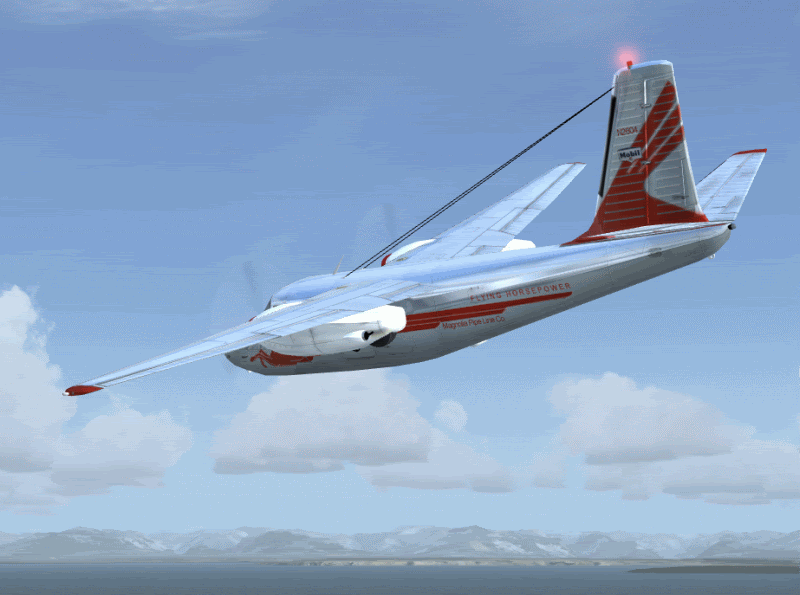
Well, The reason I am posting here is Miltons' Aero Design AC680, file name:
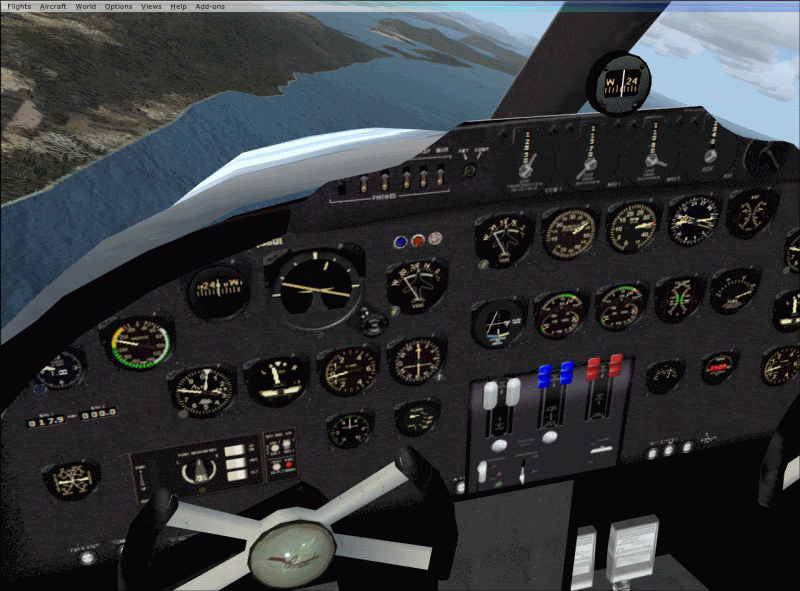
AC680sfsx won't load the gauges, I follow intall instuctions to unzip to the aircraft folder in FSX. The plane shows in silluette (?).
When it load it doesn't have any gauges!?!?.

I've also tried to unzip to a temp, desktop to be exact, there a folder gets created, BUT another folder (?) AC680p.mdl places itself below it. I tried c/p this one, that is forcing it into the aircraft folder to no avail. It still doesn't show Crying or Very sad

Can you assist or advice??? I'd appreciate it:

_________________
Began simming with Fs2002 have developed my sim and computer skills with these.Dell Vostro 220,Penduim Dual Core E6300 2.8; 2.79 Ghz;3.00GB, Nvidia GeForce 7600GS; High Definition Audio. Windows 7 Pro. My old computer fried.
Back to top
View user's profile Send e-mail
Shadow_Bshwackr
Janitor

Offline Offline
Joined: Jan 21, 2005
Posts: 7019
Location: Central Illinois, USA
PostPosted: Sat Jan 13, 2007 12:24 pm
Post subject: Re: Miltons' AC680sFSX

At this point in time, we're still exploring, but I would suspect it has something to do with...

1) xml gauges or lack thereof

2) config file for same

3) gauges not being in the FSX 'gauges' folder

As time goes by, we should have an answer for you. We've run into several 'issues' of FS9 planes not porting into FSX 100% and all the bugs so far are 'texture' display issues. Wink
Back to top
View user's profile Visit poster's website Photo Gallery
JG300-Stoopy
Power User

Offline Offline
Joined: Jan 05, 2005
Posts: 5840
Location: Group W bench
PostPosted: Sat Jan 13, 2007 2:08 pm
Post subject: Re: Miltons' AC680sFSX

The AC680S works in FSX but there are some potential pitfalls to look out for. If you can hang on, it's still being validated.

For starters, the gauges do show up and I expect the problem may be that the CAB file for the gauges wasn't copied over to the right place in the FSX Gauges folder - if you grab the Gauges folder from the AC680S install location and move that into the FSX Gauges folder, it willl just make a second gauges folder inside the existing Gauges folder, which will be wrong. Either copy the CONTENTS of the AC680S gauges folder to the FSX Gauges folder, or copy the AC680S Gauges folder to the FSX folder (where it will produce a prompt telling you there is already a Gauges folder).....after pressing YES (or OK) to copy it over, the contents of the AC680S gauges folder will fall into the right place (inside the FSX Gauges folder). Phew....got all that?

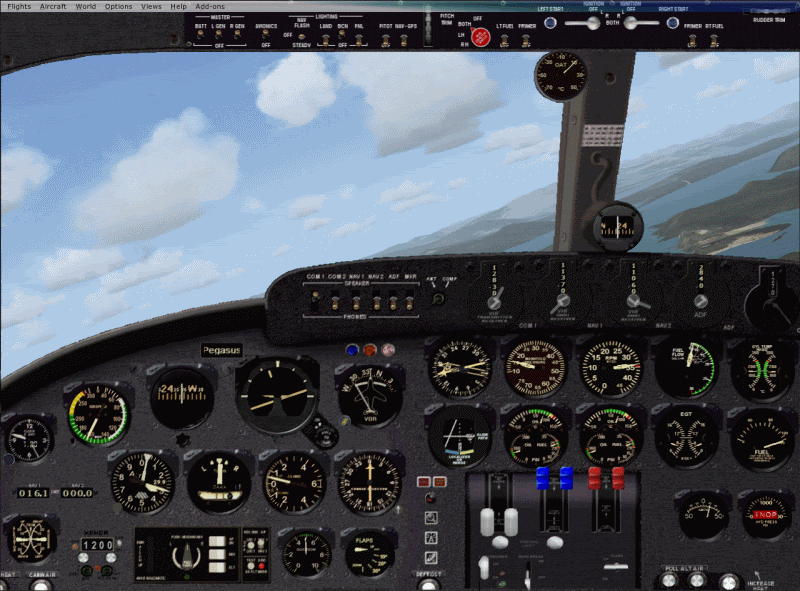
IF you are using the "FSX" version from Milton's site, the Pegasus model won't display. There is an error in the install, the MDL file for the Pegasus model is missing. Inside the model.peg3 folder there should be a MDL file called AC680P.MDL, but there isn't. A quick workaround is to copy the AC680I.MDL file from the model.I3 folder to the model.peg3 folder, and change the "I" to a "P" in the filename so it's AC680P.MDL. This still isn't quite proper since I'm sure the designer had specific changes to the AC680P.MDL file for the Pegasus version specifically......so the trick is to locate the proper AC680P.MDL file from the non-FSX-specific install package.

Anyway, it does actually all work but there are some things to sort out. I'm getting a bit of fuzzy gauges so there's a question about which gauge update applies. This series goes back a ways so it's no surprise this will take some time to get 100% right.


_________________
"Once your reputation is ruined, you can live quite freely."
Back to top
View user's profile Visit poster's website Photo Gallery
berlopez
Power User

Offline Offline
Joined: Dec 28, 2006
Posts: 263
Location: Copenhagen.DK
PostPosted: Sat Jan 13, 2007 7:15 pm
Post subject: Re: Miltons' AC680sFSX

I couldn't agree with you more and thank you very much for the guide.
This is what I did:
1-Unzipped to desktop (There I check for contents of the file and further instructions)
2-There I noticed there wasn't neither a gauges or .cab file in there ( where could they be?

This is my second install of this aircraft, so I must have lost them somewhere???... Since the initial install is direct to the main FSX Folder, So they could be a million places.

3- Now I'll errase the whole thing, search manually at first, for the gauges; Then errase everything. then search for all related to the AC680.

4- Download again and restart...

_________________
Began simming with Fs2002 have developed my sim and computer skills with these.Dell Vostro 220,Penduim Dual Core E6300 2.8; 2.79 Ghz;3.00GB, Nvidia GeForce 7600GS; High Definition Audio. Windows 7 Pro. My old computer fried.
Back to top
View user's profile Send e-mail
Uhu_Fledermaus
Aircraft Demolition Expert

Offline Offline
Joined: Nov 28, 2004
Posts: 4369
Location: Blaricum, The Netherlands ~GMT+1
PostPosted: Sat Jan 13, 2007 8:10 pm
Post subject: Re: Miltons' AC680sFSX

Hi Bernardo,

if my memory serves me right, than the gauges cab should be in the panel folder.
only thing that I can think of that could go wrong is the effects and maybe a sound file that is misplaced.


fled
Wink
Back to top
View user's profile ICQ Number MSN Messenger Photo Gallery
berlopez
Power User

Offline Offline
Joined: Dec 28, 2006
Posts: 263
Location: Copenhagen.DK
PostPosted: Sat Jan 13, 2007 8:45 pm
Post subject: Re: Miltons' AC680sFSX

Smile Hi Harry: I have looked everywhere for the gauges and the .cab folder even in the panel folder as you suggest. Did a computer search...They are not there? (can't explain)?...

Tommorow I'll do a new download and see what it brings, connection seems a bit slow tonight...

I am managing very well with the HOward 500 though Smile But landing lights only from cockpit views, not from outside, tower etc,etc... Is this normal???


_________________
Began simming with Fs2002 have developed my sim and computer skills with these.Dell Vostro 220,Penduim Dual Core E6300 2.8; 2.79 Ghz;3.00GB, Nvidia GeForce 7600GS; High Definition Audio. Windows 7 Pro. My old computer fried.
Back to top
View user's profile Send e-mail
berlopez
Power User

Offline Offline
Joined: Dec 28, 2006
Posts: 263
Location: Copenhagen.DK
PostPosted: Sat Jan 20, 2007 10:28 am
Post subject: Re: Miltons' AC680sFSX

Neutral I've kept working at it and still no gauges. I've copied the gauge.cab into FSX gauges folder after extracting and nothing. I've even extracted the gauges.cab (which I know one shouldn't extract) and copied that into FSX gauges... Crying or Very sad STILL! no gauges. Now i have to back and erase the whole thing

_________________
Began simming with Fs2002 have developed my sim and computer skills with these.Dell Vostro 220,Penduim Dual Core E6300 2.8; 2.79 Ghz;3.00GB, Nvidia GeForce 7600GS; High Definition Audio. Windows 7 Pro. My old computer fried.
Back to top
View user's profile Send e-mail
JG300-Stoopy
Power User

Offline Offline
Joined: Jan 05, 2005
Posts: 5840
Location: Group W bench
PostPosted: Sat Jan 20, 2007 4:06 pm
Post subject: Re: Miltons' AC680sFSX

The issue with the AC680S gauges is not necessarily a gauge file issue - there is a v3 and a v9 of this bird, plus a few updates, plus an FSX-specific update, several different MDL files and texture variations through it's lifecycle, etc. I had the same problem when I started the Com-Central package last weekend per Milton's blessing, and had blank instrument panels due to MDL files not matching textures necessary.

As mentioned previously in an similar thread here in this forum on these very planes, and if you can hang on to your hat, berlopez, there's an EZ-install package for Com-Central members being prepped and it should be in the download section anytime, possibly today. It'll be announced. Unless you're intent on experimenting and just want to go through it and do it yourself, which is always an interesting way to learn.

Conversely, the EZ-install is an automated installer that puts all files in the right place in a way that has been tested among several users. Your call which way to go!

_________________
"Once your reputation is ruined, you can live quite freely."
Back to top
View user's profile Visit poster's website Photo Gallery
berlopez
Power User

Offline Offline
Joined: Dec 28, 2006
Posts: 263
Location: Copenhagen.DK
PostPosted: Sat Jan 20, 2007 6:16 pm
Post subject: Re: Miltons' AC680sFSX

Wink Thanks Stoopy, I'll wait for the for the EZ install to come out, There's so much more to do with this sim...
I just wonder why com-central concentres in so many liveries? I know the work involved in creating these models and converting them is huge. I that the issue of converting the gauges and views to FSX format is still under investigation Like the side cockpit views of the Constellation; Why not concentrate on that instead.
I don't mean to sound ungrateful, on the contary! if it weren't for you guys I wouldn't have it on FSX,at least working properly! So thanks!

_________________
Began simming with Fs2002 have developed my sim and computer skills with these.Dell Vostro 220,Penduim Dual Core E6300 2.8; 2.79 Ghz;3.00GB, Nvidia GeForce 7600GS; High Definition Audio. Windows 7 Pro. My old computer fried.
Back to top
View user's profile Send e-mail
JG300-Stoopy
Power User

Offline Offline
Joined: Jan 05, 2005
Posts: 5840
Location: Group W bench
PostPosted: Sat Jan 20, 2007 10:23 pm
Post subject: Re: Miltons' AC680sFSX

Several reasons why things are the way they are: We don't make the aircraft here, so there's only so much that can be done. The aircraft side views for the Connie, for instance, are a fact of life since the Connie does not have a VC at all, and FSX is hard-coded to use the VC side views for the 2D side views (I mentioned this in the Connie thread). There's no way around it.

Since what we do here mostly, is appreciate and celebrate these fine aircraft, and frequently in Sunday flights with many people flying online at once in the same aircraft. So, the more liveries we have, the better, each can use their own and it makes for a very colorful event as Com-Central members make their way around the globe....and this has been going on for a very considerable amount of time. For every aircraft to show up right to everyone else in the flight, the aircraft.cfg's have to be very identical, and these files accomplish that.

Also, many of us hobbyists are "collectors" if you will and some of our users enjoy an easy way of getting as much of the liveries etc. as possible tiogether in "one shot".....wherever the freeware agreements of any download allow for it to be used. IN the case of the Aero Commanders, in light of the many configurations and updates there was a need to include base files if it were to be done right, so we asked and received permission from the primary author to make a complete package.

That's why we concentrate on what we do....also, each of us have our own specialties or interests. Fled is exeptional when it cmes to assembling these livery collections, whereas I don't do many of them, but since I'm a big fan of he Aero Commander I decided to take that as "my" project. Mostly I do repaints or installer/collections for other projects, including some scenery packages by JG300-Ascout, and as a matter of fact I am overdue in gettng back to some helicopter repaints, then an installer for a release, and also a package of VIetnam scenery and flights for an online military flight interest......there's always something in the works and I'm in dire need of catching up.

Anyway the Aero Commander collection for FS9 is in the downlaod section already in "Milton's Hangar CC" under FS2004 aircraft. and the FSX version is hot on it's heels, so enjoy it when it's available!

OOPS.....EDIT....that's on older collection of liveries, neither is in the download section yet but they're pending exrtemely soon, hopefully tonight. I'l make an entry on the home news page about it when done.

_________________
"Once your reputation is ruined, you can live quite freely."
Back to top
View user's profile Visit poster's website Photo Gallery
berlopez
Power User

Offline Offline
Joined: Dec 28, 2006
Posts: 263
Location: Copenhagen.DK
PostPosted: Sun Jan 21, 2007 10:22 am
Post subject: Re: Miltons' AC680sFSX

Smile Stoopy: Thanks for a very adequate(?) explanation, I hadn't thought of that. Wink

_________________
Began simming with Fs2002 have developed my sim and computer skills with these.Dell Vostro 220,Penduim Dual Core E6300 2.8; 2.79 Ghz;3.00GB, Nvidia GeForce 7600GS; High Definition Audio. Windows 7 Pro. My old computer fried.
Back to top
View user's profile Send e-mail
berlopez
Power User

Offline Offline
Joined: Dec 28, 2006
Posts: 263
Location: Copenhagen.DK
PostPosted: Fri Jan 26, 2007 1:29 pm
Post subject: Re: Miltons' AC680sFSX

Just realized I have FSX_commandercollection_installer_FSX.exe only six liveries and "no" left front view ?

Can you advice?

_________________
Began simming with Fs2002 have developed my sim and computer skills with these.Dell Vostro 220,Penduim Dual Core E6300 2.8; 2.79 Ghz;3.00GB, Nvidia GeForce 7600GS; High Definition Audio. Windows 7 Pro. My old computer fried.
Back to top
View user's profile Send e-mail
berlopez
Power User

Offline Offline
Joined: Dec 28, 2006
Posts: 263
Location: Copenhagen.DK
PostPosted: Fri Jan 26, 2007 1:32 pm
Post subject: Re: Miltons' AC680sFSX

Just realized I have FSX_commandercollection_installer_FSX.exe only six liveries and "no" left front view ? This only happens on the SHRIKES!

_________________
Began simming with Fs2002 have developed my sim and computer skills with these.Dell Vostro 220,Penduim Dual Core E6300 2.8; 2.79 Ghz;3.00GB, Nvidia GeForce 7600GS; High Definition Audio. Windows 7 Pro. My old computer fried.
Back to top
View user's profile Send e-mail
JG300-Stoopy
Power User

Offline Offline
Joined: Jan 05, 2005
Posts: 5840
Location: Group W bench
PostPosted: Sat Jan 27, 2007 1:53 am
Post subject: Re: Miltons' AC680sFSX

Hmmmmm. I need to make sure I understand you.

First, can you double-check to make sure that the option for "show all variations" is checkmarked in the aircraft selection menu? Down at the bottom of the window?

The SHRIKE is under a different manufacturer name ("Rockwell Aero") and there will only be 4 liveries for that model (in addition to the stock 3 liveries, I only found one add-on livery that was of good quality to include).

The other aircraft are under the manufacturer name of "Aero Design" and you should get 45 liveries total, mixed among the AC500/AC500 Cargo/AC520/AC560/AC680.

As for "no left/front view".....can you expand on that a little bit? Do you mean internal or external view? Although the Rockwell Shrike has it's own aircraft.cfg and it's possible I forgot to include all the new camera views to it from the Aero Commander config file which I used as the test platform for defining the views, I just loaded FSX and stepped through all the new internal and external views for the Shrike and they all seem to be present and accounted for, so help me understand which one is missing please?

_________________
"Once your reputation is ruined, you can live quite freely."
Back to top
View user's profile Visit poster's website Photo Gallery
berlopez
Power User

Offline Offline
Joined: Dec 28, 2006
Posts: 263
Location: Copenhagen.DK
PostPosted: Sat Jan 27, 2007 9:18 am
Post subject: Re: Miltons' AC680sFSX

Stoopy: With my limited knowledge on the subject I can only describe that when I change inside cockpit views, num pad N.7 or on joystick MS.FFII, view changes at the top of the handle positio 10 o'clock only the sky outside changes, no cockpit changes, no window view, with a little bit of the panel, no issues on v/c.(2) Turns out Harry was right! I still had the old install of the AC; Otherwise iI wouldn't have had to errase the FDPA_Gear_Wind gauge; So I deleted them all and tried a new install. The light I meant which are now working were the landing gear down and locked lights. BUT! regarding my views issue thet continues no cockpit windows on the left front, no panel neither; Despite the new install???Cheers!


_________________
Began simming with Fs2002 have developed my sim and computer skills with these.Dell Vostro 220,Penduim Dual Core E6300 2.8; 2.79 Ghz;3.00GB, Nvidia GeForce 7600GS; High Definition Audio. Windows 7 Pro. My old computer fried.
Back to top
View user's profile Send e-mail
Display posts from previous:   
Post new topic    Revive this topic    Printer Friendly Page    Forum Index ›  FSX
Page 1 of 2
All times are GMT - 6 Hours
Go to page 1, 2  Next

Archive Revive
Username:
This is an archived topic - your reply will not be appended here.
Instead, a new topic will be generated in the active forum.
The new topic will provide a reference link to this archived topic.