±Recent Visitors

Recent Visitors to Com-Central!

±User Info-big


Welcome Anonymous

Nickname
Password

Membership:
Latest: HighestAce
New Today: 0
New Yesterday: 0
Overall: 6648

People Online:
Members: 0
Visitors: 559
Total: 559
Who Is Where:
 Visitors:
01: Home
02: Home
03: Community Forums
04: Downloads
05: Photo Gallery
06: Home
07: Home
08: Home
09: Home
10: Home
11: Community Forums
12: Home
13: News
14: Community Forums
15: Community Forums
16: Community Forums
17: Photo Gallery
18: Community Forums
19: Community Forums
20: Community Forums
21: Photo Gallery
22: Photo Gallery
23: Photo Gallery
24: Community Forums
25: Photo Gallery
26: Downloads
27: Community Forums
28: Home
29: News
30: Community Forums
31: Photo Gallery
32: Statistics
33: Photo Gallery
34: News
35: News Archive
36: Home
37: Community Forums
38: Home
39: Home
40: Home
41: Photo Gallery
42: Home
43: Home
44: Photo Gallery
45: Photo Gallery
46: Statistics
47: Community Forums
48: Community Forums
49: Community Forums
50: Photo Gallery
51: Photo Gallery
52: Downloads
53: Photo Gallery
54: Community Forums
55: Statistics
56: Community Forums
57: Photo Gallery
58: Photo Gallery
59: Photo Gallery
60: Home
61: Community Forums
62: Home
63: Community Forums
64: Home
65: Photo Gallery
66: Downloads
67: Statistics
68: Member Screenshots
69: Photo Gallery
70: Community Forums
71: Community Forums
72: Home
73: Photo Gallery
74: Community Forums
75: Photo Gallery
76: Statistics
77: Photo Gallery
78: Community Forums
79: Downloads
80: Statistics
81: Community Forums
82: Photo Gallery
83: Home
84: Photo Gallery
85: Photo Gallery
86: Member Screenshots
87: Photo Gallery
88: Photo Gallery
89: Photo Gallery
90: Community Forums
91: Statistics
92: Community Forums
93: Community Forums
94: Community Forums
95: Community Forums
96: Home
97: Community Forums
98: Home
99: Home
100: Community Forums
101: Community Forums
102: Community Forums
103: Home
104: Home
105: Community Forums
106: Community Forums
107: Home
108: Photo Gallery
109: Home
110: Home
111: Home
112: Home
113: Member Screenshots
114: Community Forums
115: Downloads
116: Member Screenshots
117: Home
118: Home
119: Photo Gallery
120: Member Screenshots
121: Community Forums
122: Downloads
123: Community Forums
124: Photo Gallery
125: Home
126: News Archive
127: Photo Gallery
128: Home
129: Photo Gallery
130: Photo Gallery
131: Photo Gallery
132: Home
133: Home
134: Downloads
135: Photo Gallery
136: Photo Gallery
137: Photo Gallery
138: Home
139: Community Forums
140: Home
141: Home
142: Photo Gallery
143: Home
144: Home
145: Home
146: Photo Gallery
147: Photo Gallery
148: Community Forums
149: Photo Gallery
150: Home
151: Community Forums
152: Photo Gallery
153: Photo Gallery
154: Home
155: Photo Gallery
156: Community Forums
157: Home
158: Community Forums
159: Community Forums
160: News Archive
161: Photo Gallery
162: Photo Gallery
163: Home
164: Home
165: Member Screenshots
166: Member Screenshots
167: Home
168: Downloads
169: Home
170: Community Forums
171: Community Forums
172: Photo Gallery
173: Home
174: Photo Gallery
175: Photo Gallery
176: Photo Gallery
177: Home
178: Photo Gallery
179: Photo Gallery
180: Photo Gallery
181: Photo Gallery
182: Community Forums
183: Photo Gallery
184: Community Forums
185: Home
186: Photo Gallery
187: Member Screenshots
188: Home
189: Home
190: Photo Gallery
191: Photo Gallery
192: Photo Gallery
193: Photo Gallery
194: Photo Gallery
195: Home
196: Home
197: Community Forums
198: Community Forums
199: Downloads
200: Photo Gallery
201: Member Screenshots
202: Community Forums
203: Community Forums
204: Member Screenshots
205: Photo Gallery
206: Photo Gallery
207: Home
208: Photo Gallery
209: Photo Gallery
210: Community Forums
211: Home
212: Community Forums
213: Downloads
214: Photo Gallery
215: Community Forums
216: Community Forums
217: Home
218: Photo Gallery
219: Home
220: Community Forums
221: Home
222: Home
223: Community Forums
224: Community Forums
225: Photo Gallery
226: Downloads
227: Photo Gallery
228: Photo Gallery
229: Downloads
230: Home
231: Home
232: Home
233: Photo Gallery
234: Community Forums
235: News Archive
236: Downloads
237: Photo Gallery
238: Community Forums
239: Home
240: Community Forums
241: Photo Gallery
242: Downloads
243: Statistics
244: Photo Gallery
245: Downloads
246: Photo Gallery
247: Downloads
248: Photo Gallery
249: Photo Gallery
250: Home
251: Home
252: Home
253: Home
254: Home
255: Downloads
256: Photo Gallery
257: Community Forums
258: Statistics
259: Photo Gallery
260: Community Forums
261: Photo Gallery
262: Member Screenshots
263: Community Forums
264: Home
265: Home
266: Community Forums
267: Community Forums
268: Community Forums
269: Photo Gallery
270: Home
271: Community Forums
272: Photo Gallery
273: Photo Gallery
274: Home
275: Home
276: Community Forums
277: Home
278: Home
279: News Archive
280: Photo Gallery
281: Community Forums
282: Community Forums
283: Downloads
284: Member Screenshots
285: Photo Gallery
286: Community Forums
287: News Archive
288: Home
289: Community Forums
290: Community Forums
291: Downloads
292: Photo Gallery
293: Home
294: Home
295: Photo Gallery
296: Home
297: Photo Gallery
298: Community Forums
299: Community Forums
300: Home
301: Home
302: Member Screenshots
303: Community Forums
304: Photo Gallery
305: Community Forums
306: Community Forums
307: Photo Gallery
308: Downloads
309: Statistics
310: News Archive
311: Member Screenshots
312: Photo Gallery
313: Photo Gallery
314: Photo Gallery
315: Photo Gallery
316: Community Forums
317: News Archive
318: Downloads
319: Photo Gallery
320: Photo Gallery
321: Community Forums
322: Photo Gallery
323: Home
324: Photo Gallery
325: Photo Gallery
326: Downloads
327: Community Forums
328: Photo Gallery
329: Home
330: Community Forums
331: Home
332: Community Forums
333: Community Forums
334: Community Forums
335: Downloads
336: Home
337: Contact
338: Community Forums
339: Home
340: Home
341: Home
342: Home
343: Community Forums
344: Community Forums
345: Treasury
346: Community Forums
347: Community Forums
348: Community Forums
349: Community Forums
350: Photo Gallery
351: Community Forums
352: Photo Gallery
353: Community Forums
354: Photo Gallery
355: Community Forums
356: News
357: News
358: Photo Gallery
359: Photo Gallery
360: Community Forums
361: Photo Gallery
362: Community Forums
363: Community Forums
364: Community Forums
365: Photo Gallery
366: Community Forums
367: Photo Gallery
368: Photo Gallery
369: Downloads
370: Photo Gallery
371: Home
372: Home
373: Community Forums
374: Downloads
375: Statistics
376: Home
377: Member Screenshots
378: Photo Gallery
379: Community Forums
380: Member Screenshots
381: Photo Gallery
382: Photo Gallery
383: News
384: Downloads
385: Photo Gallery
386: Community Forums
387: Photo Gallery
388: Photo Gallery
389: Community Forums
390: Photo Gallery
391: Downloads
392: Statistics
393: Photo Gallery
394: Photo Gallery
395: Home
396: Community Forums
397: Home
398: Home
399: Photo Gallery
400: Community Forums
401: Photo Gallery
402: Photo Gallery
403: Home
404: Community Forums
405: Home
406: Community Forums
407: Downloads
408: Photo Gallery
409: Community Forums
410: Community Forums
411: Statistics
412: Photo Gallery
413: Home
414: Community Forums
415: Downloads
416: Photo Gallery
417: Community Forums
418: Photo Gallery
419: Downloads
420: Photo Gallery
421: Statistics
422: Photo Gallery
423: Downloads
424: Statistics
425: Member Screenshots
426: Home
427: Home
428: Community Forums
429: Home
430: Community Forums
431: Photo Gallery
432: Photo Gallery
433: Home
434: Member Screenshots
435: Downloads
436: Photo Gallery
437: Photo Gallery
438: Photo Gallery
439: News
440: Home
441: News Archive
442: Member Screenshots
443: Home
444: Home
445: Member Screenshots
446: Home
447: Home
448: News Archive
449: Home
450: Statistics
451: Home
452: Photo Gallery
453: Home
454: Community Forums
455: Photo Gallery
456: Home
457: Community Forums
458: Community Forums
459: Community Forums
460: Home
461: Downloads
462: Home
463: Community Forums
464: Home
465: Home
466: Community Forums
467: Community Forums
468: Photo Gallery
469: Statistics
470: Photo Gallery
471: Photo Gallery
472: Community Forums
473: Home
474: Photo Gallery
475: Community Forums
476: Home
477: Community Forums
478: Photo Gallery
479: Photo Gallery
480: Community Forums
481: Photo Gallery
482: Photo Gallery
483: Photo Gallery
484: Photo Gallery
485: Photo Gallery
486: Community Forums
487: Photo Gallery
488: Home
489: Home
490: Home
491: Home
492: News
493: Home
494: Downloads
495: Home
496: Community Forums
497: Community Forums
498: Home
499: Photo Gallery
500: Community Forums
501: News Archive
502: Home
503: Home
504: Community Forums
505: Home
506: Photo Gallery
507: Community Forums
508: Community Forums
509: Tell a Friend
510: Home
511: Community Forums
512: Home
513: News Archive
514: Photo Gallery
515: Photo Gallery
516: Home
517: Photo Gallery
518: Community Forums
519: Community Forums
520: Home
521: Community Forums
522: Community Forums
523: Community Forums
524: Photo Gallery
525: Home
526: Home
527: Photo Gallery
528: Downloads
529: Community Forums
530: Community Forums
531: Community Forums
532: Community Forums
533: Photo Gallery
534: Photo Gallery
535: Home
536: Community Forums
537: Photo Gallery
538: Member Screenshots
539: Downloads
540: Statistics
541: Member Screenshots
542: Home
543: Photo Gallery
544: Community Forums
545: Member Screenshots
546: Home
547: News
548: Community Forums
549: Community Forums
550: Photo Gallery
551: Community Forums
552: Community Forums
553: Home
554: Photo Gallery
555: Photo Gallery
556: Home
557: Downloads
558: Photo Gallery
559: Community Forums

Staff Online:

No staff members are online!
FSX HONDA JET made by Mitsuya :: Archived
A forum for Microsoft's Flight Simulator X
Go to page 1, 2  Next
Post new topic    Revive this topic    Printer Friendly Page     Forum Index ›  FSX

Topic Archived View previous topic :: View next topic  
Author Message
berlopez
Power User

Offline Offline
Joined: Dec 28, 2006
Posts: 263
Location: Copenhagen.DK
PostPosted: Sat Jun 23, 2007 11:46 am
Post subject: FSX HONDA JET made by MitsuyaÂ?@Hamaguchi

Confused Has anybody tried this addon on FSX std.
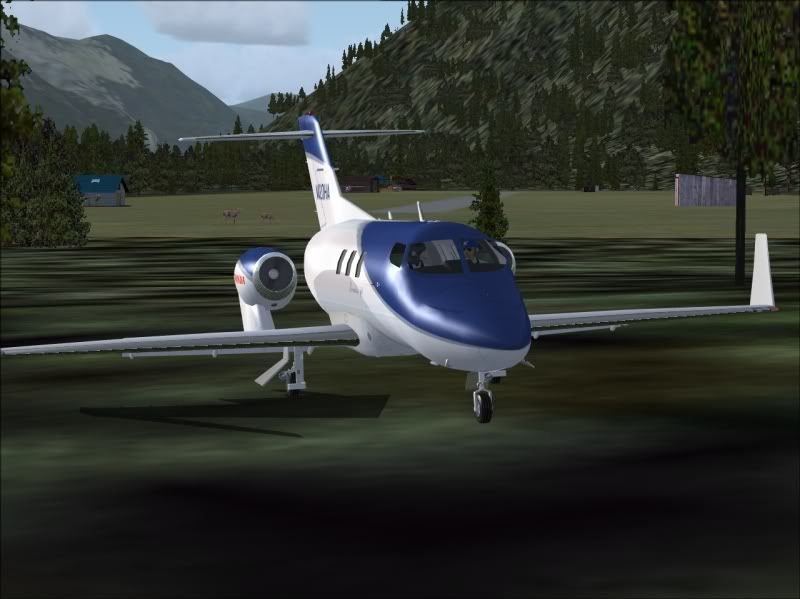
I in the middle of a dilema. It's a fantastic plane,if it loads properly, i get no glass gauges in front of the pilot and co-pilot, the centre console with the GPS is fine, the 3D cabin is great too. No matter what I do I just can't get the gauges to show,all I get is two grey areas with nada.

I am running Windows Vista, my Corel Photo program ran out an update costs 121 US$s Ouch!
Iam trying/attempting to associate to other programmes to see if these can open the .cab file which contains these gauges in the glass cockpit.

I strongly recommend this download, but for those who may encounter the same faith as me I take "no" responsability

Nothing should go wrong if yoou are still runnning XP

_________________
Began simming with Fs2002 have developed my sim and computer skills with these.Dell Vostro 220,Penduim Dual Core E6300 2.8; 2.79 Ghz;3.00GB, Nvidia GeForce 7600GS; High Definition Audio. Windows 7 Pro. My old computer fried.
Back to top
View user's profile Send e-mail
JG300-Stoopy
Power User

Offline Offline
Joined: Jan 05, 2005
Posts: 5840
Location: Group W bench
PostPosted: Sat Jun 23, 2007 1:29 pm
Post subject: Re: FSX HONDA JET made by MitsuyaÂ?@Hamaguchi

Yep, I got it a while back and it's excellent, although I'm not into the BizJet thing too much. But, the positives are that it's made specifically for FSX, supports all the new features with spectral and bump mapping, has a superb VC and some very gorgeous extra touches and animations attached to it. Plus a self-installing executable and nothing went wrong for me - it all works real well....I just only flew it once so far since it's not my bag at the moment. I could see doing a few long cross-countries in it though.

Even the gals at the "Luv Shack" came out to check out the new...emmmm...."model".......


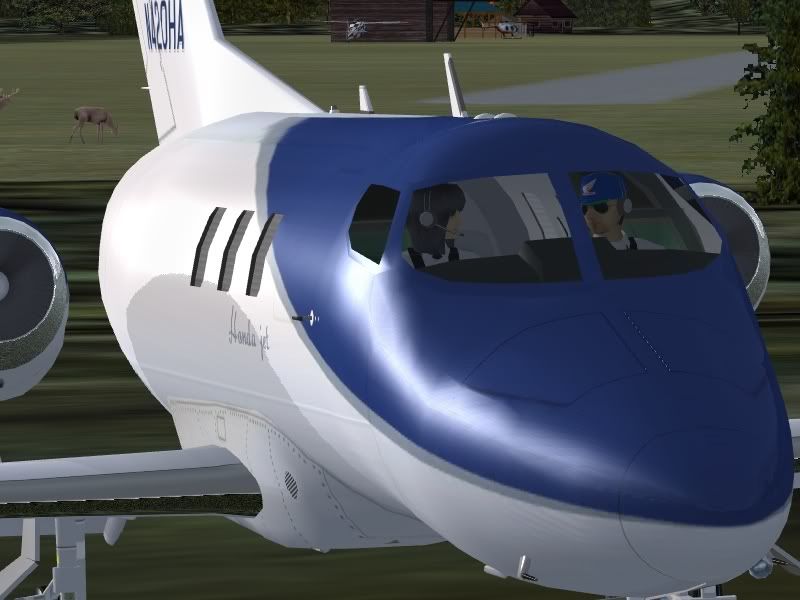
Took it on a short hop from the Pigsty to the Com_C Wilderness Camp and it landed a bit long......


The animated pilot and co-pilot appeared to be having a typical husband/wife argument about flying style afterwards....


No problems with any gauges or functionality for me however.

_________________
"Once your reputation is ruined, you can live quite freely."
Back to top
View user's profile Visit poster's website Photo Gallery
berlopez
Power User

Offline Offline
Joined: Dec 28, 2006
Posts: 263
Location: Copenhagen.DK
PostPosted: Sun Jun 24, 2007 6:54 am
Post subject: Re: FSX HONDA JET made by MitsuyaÂ?@Hamaguchi

Sad Hey Stoopy: sorry to sound, again like a total amateur: I followed hamas' intructions on the "readme" contained within the .zip I have nnot seen an excecutable.exe in any of my downloads of it. I just says: After the decompression move into simobjects/airplanesimobjects/airplanes(here I think he made a mistake) Anyway if I follow his paths the folder nstalls into the airplane folder, yes but the G1000.cab remains in the panel folder; Shouldn't it go into the gauges folder??? I've also c/p into gauges and that didn't help either. He keeps telling me that the G1000 has to be in the panel folder,And it is It just won't work for me Rolling Eyes

_________________
Began simming with Fs2002 have developed my sim and computer skills with these.Dell Vostro 220,Penduim Dual Core E6300 2.8; 2.79 Ghz;3.00GB, Nvidia GeForce 7600GS; High Definition Audio. Windows 7 Pro. My old computer fried.
Back to top
View user's profile Send e-mail
Kitform
Bar Maid

Offline Offline
Joined: Jan 22, 2005
Posts: 2011
Location: Cleveland. UK.
PostPosted: Sun Jun 24, 2007 7:24 am
Post subject: Re: FSX HONDA JET made by MitsuyaÂ?@Hamaguchi

Just a thought...

Is the G1000 supported in the standard version of FSX, I know it is in the deluxe version.

May be completely off track here...
Back to top
View user's profile Send e-mail Visit poster's website Photo Gallery
berlopez
Power User

Offline Offline
Joined: Dec 28, 2006
Posts: 263
Location: Copenhagen.DK
PostPosted: Sun Jun 24, 2007 9:09 am
Post subject: Re: FSX HONDA JET made by MitsuyaÂ?@Hamaguchi

Wink You may have apoint there. Everybody I've discussed this airplane with has in in FSX d'luxe.

I even wrote to hama last week, the author, asking him about this and so far he's not responded ...I get back when I know more.Thanks

_________________
Began simming with Fs2002 have developed my sim and computer skills with these.Dell Vostro 220,Penduim Dual Core E6300 2.8; 2.79 Ghz;3.00GB, Nvidia GeForce 7600GS; High Definition Audio. Windows 7 Pro. My old computer fried.
Back to top
View user's profile Send e-mail
berlopez
Power User

Offline Offline
Joined: Dec 28, 2006
Posts: 263
Location: Copenhagen.DK
PostPosted: Tue Aug 14, 2007 12:47 pm
Post subject: Re: FSX HONDA JET made by MitsuyaÂ?@Hamaguchi

Got it working with gauges and all.
Turns out one .cab was missing in the file I downloaded, incredible!
But Hama the author was king enough to send it to me Laughing

_________________
Began simming with Fs2002 have developed my sim and computer skills with these.Dell Vostro 220,Penduim Dual Core E6300 2.8; 2.79 Ghz;3.00GB, Nvidia GeForce 7600GS; High Definition Audio. Windows 7 Pro. My old computer fried.
Back to top
View user's profile Send e-mail
Shadow_Bshwackr
Janitor

Offline Offline
Joined: Jan 21, 2005
Posts: 7020
Location: Central Illinois, USA
PostPosted: Tue Aug 14, 2007 3:53 pm
Post subject: Re: FSX HONDA JET made by MitsuyaÂ?@Hamaguchi

Gotta love the Flying Sim community... Wink
Back to top
View user's profile Visit poster's website Photo Gallery
berlopez
Power User

Offline Offline
Joined: Dec 28, 2006
Posts: 263
Location: Copenhagen.DK
PostPosted: Tue Aug 14, 2007 4:23 pm
Post subject: Re: FSX HONDA JET made by MitsuyaÂ?@Hamaguchi

- Shadow_Bshwackr
Gotta love the Flying Sim community... Wink
indeed!

_________________
Began simming with Fs2002 have developed my sim and computer skills with these.Dell Vostro 220,Penduim Dual Core E6300 2.8; 2.79 Ghz;3.00GB, Nvidia GeForce 7600GS; High Definition Audio. Windows 7 Pro. My old computer fried.
Back to top
View user's profile Send e-mail
berlopez
Power User

Offline Offline
Joined: Dec 28, 2006
Posts: 263
Location: Copenhagen.DK
PostPosted: Fri May 21, 2010 2:41 pm
Post subject: Re: FSX HONDA JET made by Mitsuya

21-5-10: Suffered McAfee Bug in my system although I used Vista; had system formatted and put XP Home edition SP2 in it as Vista always game problems with software because of UAC and the related. Lost a lot of software had a temp file which was saved by the technician who formatted with my Addons for FSX.
Cannot get reinstalled the Honda jet with all the gauges, I only get the middle console. No gauges in front of pilot or autopilot. Have downloaded agin form flightsim and get the same result. Maybe something wrong with g_1000.cab?
Can anybody assist?

Bernardo

_________________
Began simming with Fs2002 have developed my sim and computer skills with these.Dell Vostro 220,Penduim Dual Core E6300 2.8; 2.79 Ghz;3.00GB, Nvidia GeForce 7600GS; High Definition Audio. Windows 7 Pro. My old computer fried.
Back to top
View user's profile Send e-mail
Snorre
Power User

Offline Offline
Joined: Mar 24, 2007
Posts: 1222
Location: Ziegenhain, Germany
PostPosted: Sat May 22, 2010 8:04 am
Post subject: Re: FSX HONDA JET made by Mitsuya

I just downloaded the file from flightsim.com, extracted the files and put the folder where it belongs and it works perfectly here.... Maybe you download it again?

_________________
Gunter

"The road to a friend's house is never long"
Back to top
View user's profile
berlopez
Power User

Offline Offline
Joined: Dec 28, 2006
Posts: 263
Location: Copenhagen.DK
PostPosted: Tue May 25, 2010 9:10 am
Post subject: Re: FSX HONDA JET made by Mitsuya

Gunter: Thanks for joining in on this. I just did the same,downloaded a new file form flightism.com,
Extracted the file to a folder and moved that folder to simobjects\irplanes in FSX...Mmmm Only got the middle panel again.

The g_1000 .cab is present in the panel folder; I wonder what is wrong that it won't load the other two panels, pilot and copilot??? Here's what I'm doing: From the .zip I unzip to a temporary foler in my desktop,there I get a folder Honda_Jet, I move this folder Drag and drop to simobjects\airplanes. In the aircraft menu I get a folder HONDA LEARJET FSX; I load the sim with my default and then change to the Honda Learjet FSX...When it loads only the middle panel shows? Sad

_________________
Began simming with Fs2002 have developed my sim and computer skills with these.Dell Vostro 220,Penduim Dual Core E6300 2.8; 2.79 Ghz;3.00GB, Nvidia GeForce 7600GS; High Definition Audio. Windows 7 Pro. My old computer fried.
Back to top
View user's profile Send e-mail
Snorre
Power User

Offline Offline
Joined: Mar 24, 2007
Posts: 1222
Location: Ziegenhain, Germany
PostPosted: Tue May 25, 2010 11:22 am
Post subject: Re: FSX HONDA JET made by Mitsuya

Does your Honda_Jet folder contain the following subfolders: model.fsx, panel.fsx, sound, texture.fsx and the files aircraft.cfg, honda_fsx.air (and the readme)?
My panel.fsx contains 2 bmps, the cap-file and the panel.cfg which has the following content:

; Localized 06/30/2003 11:39 (GMT) 4:4.2.169 panel.cfg
;/ Panel Configuration file
;/ Lear 45
;/ Copyright (c) 1999-2003 Microsoft Corporation. All rights reserved.

[Window Titles]
window00=MAIN_PANEL
Window01=THROTTLE_PANEL
window02=GPS
window03=COMPASS
window04=RADIO_STACK_PANEL

[Window00]
file=Forward_640.bmp
file_1024=Forward_1024.bmp
size_mm=640
position=7
visible=1
ident=MAIN_PANEL

gauge00=G1000!G1000_PFD,155, 280 ,260 ,190
gauge01=HONDA_G1000!MFD_HONDA, 415 ,280 ,260 ,190
gauge02=737-400!Autopilot, 383, 186 ,260 ,40
gauge05=737-400!Gear Lever, 580, 228 ,30 ,51
gauge08=737-400!Nav GPS Switch, 367, 200
gauge09=737-400!Engine Start Left, 456, 252
gauge10=737-400!Engine Start Right, 500, 252
gauge14=737-400!Navigation Lights, 47, 344
gauge15=737-400!Strobe Lights, 71, 344
gauge16=737-400!Landing Lights, 47, 380
gauge17=737-400!Beacon Lights, 47, 380
gauge18=737-400!Pitch Trim,355, 230
gauge20=Beech_Baron!Clock, 95, 280
gauge24=737-400!Pitot Heat, 190, 260
gauge25=737-400!Deice Switch, 220, 260
gauge26=SimIcons!ATC Icon, 140, 370
gauge27=SimIcons!Avionics Icon, 140, 385
gauge28=SimIcons!ECU Icon, 140, 400
gauge29=SimIcons!Map Icon, 140, 415
gauge30=SimIcons!Compass Icon, 140, 430
gauge31=SimIcons!GPS Icon, 140, 445
gauge32=737-400!Avionics Master Switch, 428, 253


[Window01]
size_mm=190 ,180
windowsize_ratio=1.0
position=8
BACKGROUND_COLOR=99,106,123
visible=0
ident=THROTTLE_PANEL

gauge00=737-400!Throttle Quadrant, 0, 0 ,183,183


[Window02]
size_mm=456,378
window_size=0.5
position=8
BACKGROUND_COLOR=0,0,0
VISIBLE=0

Do you start the flight with your default airplane or do you select the Honda-Jet straight from the menue and start from there?

_________________
Gunter

"The road to a friend's house is never long"
Back to top
View user's profile
berlopez
Power User

Offline Offline
Joined: Dec 28, 2006
Posts: 263
Location: Copenhagen.DK
PostPosted: Tue May 25, 2010 12:06 pm
Post subject: Re: FSX HONDA JET made by Mitsuya

Gunter: Thanks for your reply and for helping me with this.[quote]Does your Honda_Jet folder contain the following subfolders: model.fsx, panel.fsx, sound, texture.fsx and the files aircraft.cfg, honda_fsx.air (and the readme)?
My panel.fsx contains 2 bmps, the cap-file and the panel.cfg which has the following content:
[quote] Yes Gunter my Honda folder contains all the folders you mention above,and this is the folder I move to FSX...Yet no pilot,copilot gauges?

Yes my panel is exactly the same as the one you post here; Yet I only get the middle panel active?

I always start FSX from default..( So it loads properly). I've unzipped several times now,created a new folder in my desktop and form there moved the Honda_Jet folder to simobjects\airplanes in FSX...I've even tried (Ctrl+X) and then (Crtl+V) in short c/p....Yet nothing. The pilots' and copilots' gauges don't show. I even found the .cab file Hama sent me soemtime ago and put it in the panel replacing the original one. But it doesn't show anything...Completely black!? So I've resorted for the original one instead. I want to add I have had it working in FSX std. There is talk in the net that the gauges only show in the d'Luxe edition?...

I wonder if I don't have something ticked in my folder options? But all the other downloads I have had to make work perfectly. The McAfee bug detroyed the .cfg's and air files of all of my resrve copies I had in a temp file...In case they broke...

_________________
Began simming with Fs2002 have developed my sim and computer skills with these.Dell Vostro 220,Penduim Dual Core E6300 2.8; 2.79 Ghz;3.00GB, Nvidia GeForce 7600GS; High Definition Audio. Windows 7 Pro. My old computer fried.
Back to top
View user's profile Send e-mail
Snorre
Power User

Offline Offline
Joined: Mar 24, 2007
Posts: 1222
Location: Ziegenhain, Germany
PostPosted: Wed May 26, 2010 7:33 am
Post subject: Re: FSX HONDA JET made by Mitsuya

The only thing I can think of is, that they use gauges that require a working sim-connect within FSX. I had the same issue with two aircraft in the past and it turned out that in both cases the problem was solved with fixing the sim-connect function. That was not easy and I checked but I lost the thread where I was helped with that so maybe you want to check on that end?

Have a look here
forums.flightsim.com/v...p?t=160389
but you have to scroll down a bit xxmikexx's post.

_________________
Gunter

"The road to a friend's house is never long"
Back to top
View user's profile
berlopez
Power User

Offline Offline
Joined: Dec 28, 2006
Posts: 263
Location: Copenhagen.DK
PostPosted: Wed May 26, 2010 8:47 am
Post subject: Re: FSX HONDA JET made by Mitsuya

Gunter: Thanks for your reply. Truth be I have had it running both in XP and Vista in this machine...I got hit by the McAfee bug two weeks ago and had to reinstall everything in FSX SP2 The bug somehow stole all my .execs',.cfg's and .air files? So I have had to download everything a-new. I almost forgot I also had to download FSUIPC for FSX so I got the lastest unregistered version; Here I have to be honest? I don't know what to do???....I've checked FSUIPC throught out my computer and the sim-connect? Only thing I can find relating to all this is a text file in the modules FSUIPC folder in my FSX folder...It reads:
********* FSUIPC4, Version 4.57 by Pete Dowson *********
Reading options from "C:\Programmer\Microsoft Games\Microsoft Flight Simulator X\Modules\FSUIPC4.ini"
Trying to connect to SimConnect Acc/SP2 Oct07 ...
User Name=""
User Addr=""
FSUIPC4 not user registered
WIDEFS7 not user registered, or expired
Running inside FSX (using SimConnect Acc/SP2 Oct07)
Module base=61000000
Wind smoothing fix is fully installed
DebugStatus=0
407 System time = 26/05/2010 10:32:09
407 FLT UNC path = "C:\Documents and Settings\Ejer\Dokumenter\Flight Simulator X Files\"
407 FS UNC path = "C:\Programmer\Microsoft Games\Microsoft Flight Simulator X\"
1672 LogOptions=00000000 00000001
1672 SimConnect_Open succeeded: waiting to check version okay
34172 Running in "Microsoft Flight Simulator X", Version: 10.0.61472.0 (SimConnect: 10.0.61259.0)
34172 Initialising SimConnect data requests now
34172 FSUIPC Menu entry added
34282 C:\Documents and Settings\Ejer\Dokumenter\Flight Simulator X Files\at kastrup to Roskilde.FLT
34282 C:\Documents and Settings\Ejer\Dokumenter\Flight Simulator X Files\IFR Kastrup to Roskilde.PLN
34282 C:\Programmer\Microsoft Games\Microsoft Flight Simulator X\SimObjects\Airplanes\C172\Cessna172SP.AIR
34282 C:\Documents and Settings\Ejer\Dokumenter\Flight Simulator X Files\IFR Kastrup to Roskilde.PLN
203672 System time = 26/05/2010 10:35:32, Simulator time = 10:32:40 (08:32Z)
204750 Advanced Weather Interface Enabled
245375 Sim stopped: average frame rate for last 34 secs = 14.7 fps
365844 System time = 26/05/2010 10:38:14, Simulator time = 10:33:29 (08:33Z)
365844 *** FSUIPC log file being closed
Average frame rate for running time of 48 secs = 16.4 fps
Memory managed: 23 Allocs, 23 Freed
********* FSUIPC Log file closed ***********
The line that reads:Trying to connect to SimConnect Acc/SP2 Oct07 ...Would meand there is No connection? But what do I have to do in order to make it connect?I just downloaded a new version of FSUIPC and these is the result I get on the first lines of the text dok:********* FSUIPC4, Version 4.60a by Pete Dowson *********
Trying to connect to SimConnect Acc/SP2 Oct07 ...What can be wrong with this sim-connect?I just checked and I have three sim-connect.dlls'

Should there be a sim-connect.dll in the mainFSX folder?
Bernardo

_________________
Began simming with Fs2002 have developed my sim and computer skills with these.Dell Vostro 220,Penduim Dual Core E6300 2.8; 2.79 Ghz;3.00GB, Nvidia GeForce 7600GS; High Definition Audio. Windows 7 Pro. My old computer fried.


Last edited by berlopez on Thu May 27, 2010 7:26 pm; edited 1 time in total
Back to top
View user's profile Send e-mail
Display posts from previous:   
Post new topic    Revive this topic    Printer Friendly Page    Forum Index ›  FSX
Page 1 of 2
All times are GMT - 6 Hours
Go to page 1, 2  Next

Archive Revive
Username:
This is an archived topic - your reply will not be appended here.
Instead, a new topic will be generated in the active forum.
The new topic will provide a reference link to this archived topic.